3D product configurator for eCommerce
Convert browsers into buyers with a 3D configurator that lives right on your product page. 3D Product Config syncs options, pricing, and inventory with your store so the experience is seamless from customization to checkout.
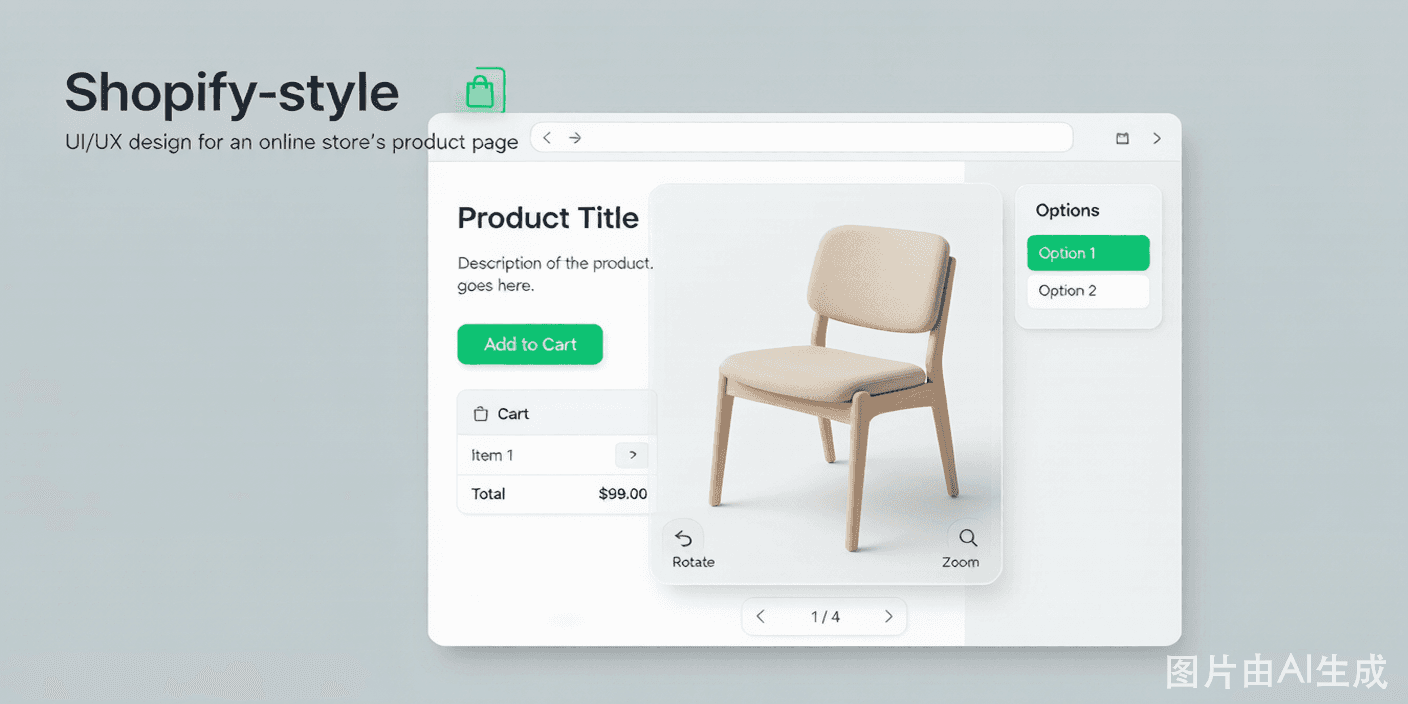
Why eCommerce brands add a 3D configurator
On a standard product page, shoppers compare a few thumbnail images and hope for the best. A 3D product configurator for eCommerce turns that passive browse into active building — and active builders convert. Brands using 3D Product Config commonly see conversion lifts around 35%.
The integrations do the heavy lifting. When a shopper finalizes a configuration, 3D Product Config pushes the selected options, the correct price, and live inventory straight into Shopify, WooCommerce, BigCommerce, or Magento — no manual mapping, no broken carts.
A configurator also raises average order value without feeling like an upsell. When a shopper is already choosing finishes and add-ons in-context, premium materials and compatible accessories feel like natural parts of their design rather than a checkout-page nag — so they spend more and feel good about it.
Returns drop because the gap between expectation and delivery closes. A buyer who personally picked the exact wood tone and dimensions is far less likely to send it back as "not what I pictured," which protects margin on categories where returns are brutal.
And it gives your merchandising team a new lever. You can launch a seasonal finish, test a premium tier, or feature a hero configuration on the page in an afternoon — no developer ticket, no redeploy — and watch the conversion data come back the same day.
It protects your most scarce resource: attention. A shopper who is actively building is far less likely to bounce to a competitor's tab, so the configurator is also a retention tool for the seconds that decide a sale.
Merchandising becomes a test, not a bet. Launch a finish, feature a bundle, or spotlight a premium tier in an afternoon and read the conversion data the same day instead of waiting for a quarterly redesign.
It pays for itself in margin, not just revenue. Fewer returns plus higher average order value plus less support time answering "what will it look like" questions compound into real contribution margin on the products you configure.
It future-proofs the catalog. As you add products, the same integration and option model extends to them, so each new configurable SKU is cheaper to launch than the last.
Why teams choose 3D Product Config
Native Shopify app
Install and embed configurators on product pages in one click.
WooCommerce & BigCommerce
Plugins and apps sync variants, pricing, and stock.
Magento extension
Enterprise-grade integration for high-SKU catalogs.
Live inventory
Configurators respect stock so unavailable builds are blocked.
Cart handoff
The finalized configuration and price flow into checkout cleanly.
Higher AOV
Upsell materials and add-ons inside the configurator.
eCommerce capabilities
Variant mapping
Map configurator options to store variants automatically.
Dynamic price sync
Store prices update as options change in the configurator.
One-click embed
Drop the configurator into any product template.
Abandoned-config recovery
Retarget shoppers who customized but did not buy.
Connect your store in three steps
Install the integration
Add 3D Product Config from your platform app store.
Map products
Link configurators to the right SKUs and variants.
Embed & sell
Place the configurator on product pages and go live.
eCommerce categories that win
Furniture stores
Sell configurable sofas and tables with confidence.
Apparel & footwear
Offer made-to-order fits, colors, and prints.
Jewelry
Preview engravings, stones, and metals before purchase.
Promo products
Personalize gifts and merch with live previews.
Connecting the configurator to your store
Integration starts at the app store. On Shopify you install the 3D Product Config app; on WooCommerce or BigCommerce you add the plugin; on Magento you deploy the extension. Each handles authentication and creates the connection between your store and your configurator workspace.
Then you map products. The configurator options are linked to store variants and the price rules you already maintain, so the store remains the system of record for pricing and availability — 3D Product Config reads from it and writes the finalized selection back, rather than duplicating truth in two places.
At checkout, the handoff is clean. The shopper's exact configuration — options, price, and any personalization — is passed into the cart as a single line item with the correct total, and inventory checks block combinations that are out of stock so you never oversell a build you cannot fulfill.
After the session, the value continues. Because 3D Product Config knows a shopper customized but left, it can feed that signal to your store's abandoned-cart flows, letting you retarget with the actual build they designed instead of a generic reminder — a meaningful lift over a plain "you left something" email.
You keep control of the customer relationship. The configurator lives on your product page under your brand, capturing the sale in your store — not on a third-party site that owns the audience and the data.
Configurator on the PDP vs. a standard product page
How a unified 3D configurator platform compares with static image galleries and patched-together tools.
| Capability | 3D Product Config | Legacy / static |
|---|---|---|
| Native Shopify/Woo | Yes | Plugin hunt |
| Live price sync | Yes | Manual |
| Inventory check | Yes | No |
| Clean cart handoff | Yes | Copy-paste |
| Abandoned-config recovery | Yes | No |
| In-config upsell | Yes | No |
Frequently asked questions
Which eCommerce platforms are supported?
3D Product Config integrates natively with Shopify, WooCommerce, BigCommerce, and Magento, and provides a single-line embed for any other website.
Does pricing sync to my store?
Yes. As shoppers change options, the configurator calculates the price using your rules and passes the final price to checkout.
Will it respect my inventory?
Yes. Configurators check stock so shoppers cannot order combinations that are out of stock.
How much does it lift conversions?
Results vary, but 3D Product Config customers commonly report conversion increases around 35% and return reductions up to 40%.
Is it hard to install on Shopify?
No. Install the app, map your products, and embed the configurator on product pages — typically within an afternoon.
Will it slow down my store?
No. The configurator loads progressively from a CDN and does not block your page, so product pages stay fast.
Can I use it on a headless or custom storefront?
Yes. The single-line embed works in any HTML, and the OpenAPI supports headless commerce stacks.
How are taxes and shipping handled?
They remain in your store's checkout. The configurator passes the configured product and price; your store applies tax and shipping as usual.
Can I A/B test the embed?
Yes. Because the configurator is embedded with a snippet, you can test it on a subset of product pages or against a control and measure conversion with your analytics.
Can I limit which options appear to certain customer groups?
Yes. You can show different options, defaults, or price tiers by segment, so B2B buyers and retail shoppers can see tailored configurations from the same underlying product.
Explore more 3D configurator solutions
Ready to launch your 3D configurator?
Join thousands of brands using 3D Product Config to create interactive product experiences. Free 14-day trial. No credit card required.