3D product configurator software
Stop stitching together a viewer, a pricing engine, and a storefront integration. 3D Product Config is the 3D product configurator software that bundles visualization, CPQ, and eCommerce into one no-code platform.
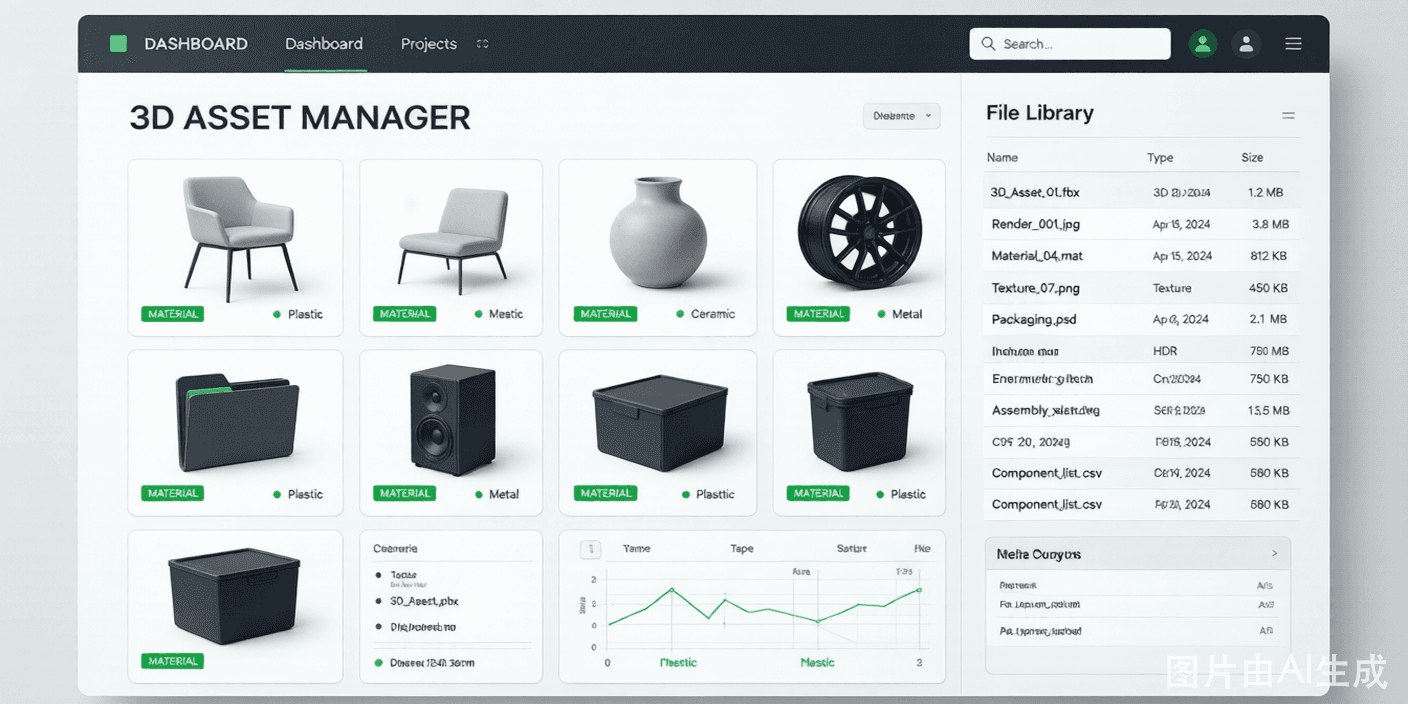
Why buy one 3D configurator software instead of three tools
Most teams cobble together a 3D viewer, a separate quoting tool, and a fragile integration script. 3D Product Config unifies them: the same project powers the real-time viewer, the dynamic pricing logic, and the storefront embed — so changes never fall out of sync.
Because everything lives in one no-code studio, your marketing, sales, and product teams collaborate in a single source of truth. Approvals, pricing, and launches happen faster, and you avoid the hidden cost of maintaining multiple vendors.
A single platform also means a single bill of materials. When the viewer, the price, and the quote all read from the same rule set, a configuration that is valid on screen is valid to manufacture and valid to charge for. You stop paying analysts to reconcile three systems that should have agreed in the first place.
Onboarding and training shrink dramatically. New team members learn one studio instead of a viewer tool, a CPQ tool, and an integration console — each with its own jargon, permissions, and failure modes. One login, one mental model, one place to look when something needs changing.
And your roadmap stops depending on three vendors coordinating. A feature you need — say, AR for a configured product — arrives as one update, not a six-month negotiation between a viewer vendor and a quoting vendor who have never shared a data model.
Procurement likes one contract. Buying visualization, CPQ, and AR as one platform means one vendor, one security review, and one renewal — far easier to approve than three tools each needing their own evaluation.
You avoid integration debt. The hardest part of a configurator project is usually the glue between systems; a unified platform removes the seams where data quietly diverges and bugs hide.
It grows with you. Start with the no-code studio, then layer the OpenAPI and SDK only where you need custom logic — you are never forced to rip and replace the platform to take the next step.
Why teams choose 3D Product Config
Unified studio
Manage models, options, pricing, and embeds from one dashboard.
Built-in CPQ
Configure-price-quote logic generates accurate prices and BOMs automatically.
OpenAPI & SDK
Extend the UI or connect ERP/CRM systems when you outgrow no-code.
Role-based access
Give designers, marketers, and reviewers the right permissions.
Analytics
See which options drive conversions and where shoppers drop off.
Transparent pricing
Start at $29/month with no setup fees or per-seat surprises.
What the software includes
Asset manager
Organize 3D models, textures, and materials with version history.
Pricing engine
Rules for materials, dimensions, quantities, and regional pricing.
Storefront sync
Push configured products, prices, and inventory to your store.
Dashboard API
Pull usage and conversion data into your own BI tools.
Adopt the software in three steps
Import assets
Bring existing 3D models and product data into the studio.
Model your logic
Define options, dependencies, and pricing once, reusable everywhere.
Connect & launch
Link your store or website and publish configurators live.
Software that fits how you sell
Growing DTC brands
Scale from one configurator to hundreds without new tooling.
Manufacturers
Connect the configurator to production with a clean BOM.
Distributors
Let channel partners quote valid configurations fast.
Enterprise
Use the SDK and APIs to embed configurators in existing portals.
What is actually inside the software
At its center is the asset manager, where every 3D model, texture, and material version lives. Instead of hunting for the "final final" file in a shared drive, your team sees a clear history and reuses approved assets across products — the foundation that makes everything else reliable.
On top of assets sits the rule layer: options, dependencies, and a pricing matrix that ties cost and price to each choice, including volume and regional logic. This is the brain shared by the viewer and the CPQ engine, so a shopper and a sales rep see the same valid, priced result.
The delivery layer turns a configuration into action. It can embed on a storefront, generate a branded quote, sync to a CRM, or hand a bill of materials to manufacturing — all from the same project, with role-based permissions controlling who can change what.
Finally, the insight layer captures how configurations perform: which options convert, where shoppers abandon, and how quotes progress. Because it is one platform, that data is joined by default rather than stitched together from three separate dashboards after the fact.
Administration stays simple at scale. Role-based permissions, environment separation between staging and production, and an audit trail mean a large team can safely change prices and options without stepping on each other or shipping half-finished logic to customers.
One platform vs. three patched-together tools
How a unified 3D configurator platform compares with static image galleries and patched-together tools.
| Capability | 3D Product Config | Legacy / static |
|---|---|---|
| Single platform | Yes | Three tools |
| Native CPQ | Yes | Add-on |
| No-code setup | Yes | Partial |
| OpenAPI & SDK | Yes | Varies |
| Joined analytics | Yes | Separate |
| Pricing | Transparent | Hidden fees |
Frequently asked questions
Is 3D Product Config just a viewer or full software?
It is full 3D product configurator software: a no-code studio for models and options, a built-in CPQ pricing engine, AR, and storefront integrations — not just a viewer.
Can it replace my CPQ tool?
For configurable products, yes. 3D Product Config generates accurate prices and bills of materials from the same rules that drive the 3D experience.
Does it integrate with my ERP or CRM?
Enterprise plans include OpenAPI and SDK access plus CRM sync for Salesforce and HubSpot.
How is pricing structured?
Plans start at $29/month (Starter) and $49/month (Pro), with custom Enterprise pricing. No setup fees.
Is there an API for developers?
Yes. Pro includes the OpenAPI for custom UI; Enterprise adds an SDK function library and partner APIs.
Can I migrate from another configurator tool?
Yes. You can import existing GLB/GLTF/OBJ/FBX models and rebuild option logic in the studio; many teams run the old and new configurators side by side during a transition.
Who owns the product and customer data?
You do. 3D Product Config stores your models and configuration data on your workspace, and Enterprise plans support data export and processing terms.
How does support work?
Starter and Pro include in-app support; Enterprise adds a dedicated success contact and onboarding for complex catalogs.
Is there a limit on models or SKUs?
Limits scale by plan. Pro and Enterprise support large catalogs of thousands of configurable SKUs per workspace.
Can multiple team members work on one configurator?
Yes. Role-based access lets designers, marketers, and reviewers collaborate in the same studio, with staging separated from production so changes are reviewed before they go live.
Explore more 3D configurator solutions
Ready to launch your 3D configurator?
Join thousands of brands using 3D Product Config to create interactive product experiences. Free 14-day trial. No credit card required.