3D Product Configurator
Build interactive, customizable product experiences without writing a single line of code. Upload 3D models, define options, set pricing rules, and publish to your store in minutes.
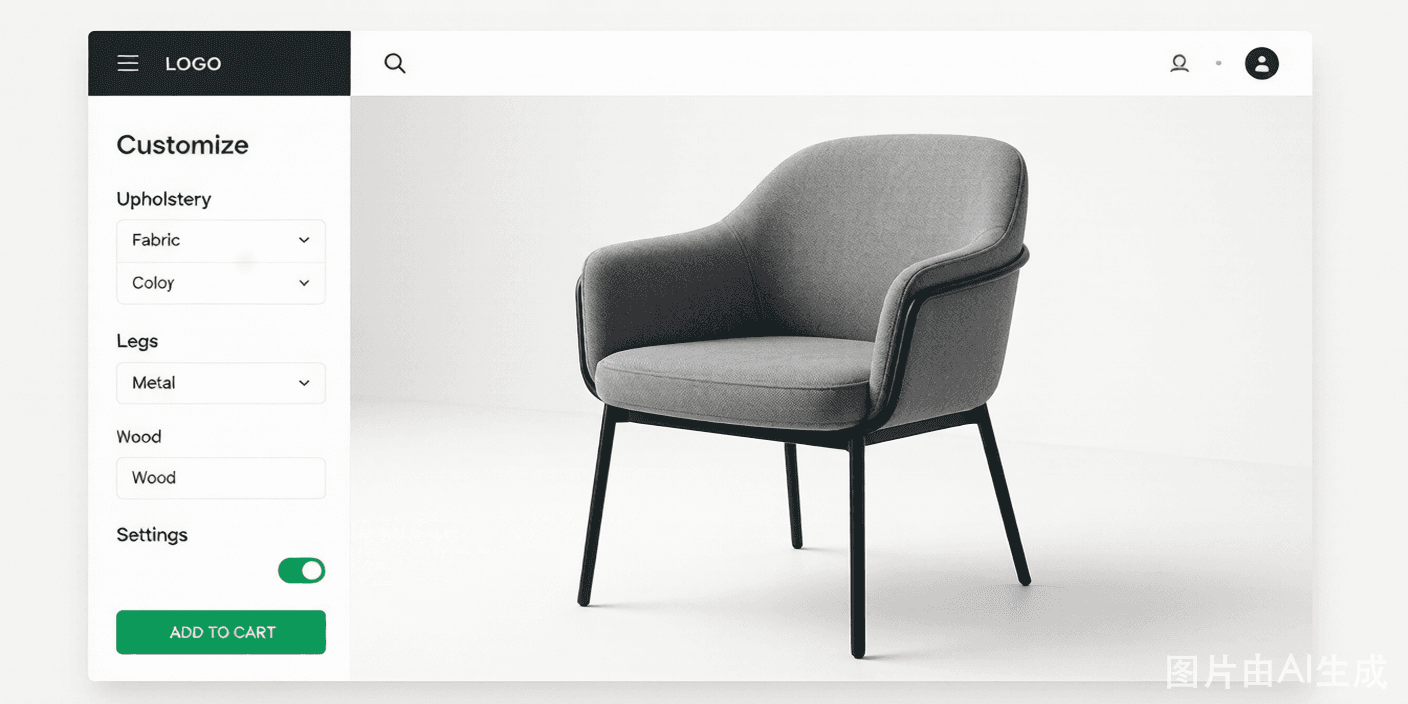
Everything a configurator needs
3D Asset Manager
Upload and manage 3D models, textures, and materials in one centralized library. Support for OBJ, GLB, FBX formats.
Options & Parameters
Define product options (color, size, material) and parameters with visual controls. Drag-and-drop interface.
Conditional Logic
Build smart configurators with dependencies. If leather is selected, hide canvas options. Rules that make sense.
Dynamic Pricing
Real-time pricing updates as customers change options. Volume discounts, material costs, tier pricing — all automatic.
Variant Management
Create and manage product variants from a single base model. Each variant inherits the base with unique configuration.
One-Click Publishing
Publish your configurator to any website with a single embed code. Updates go live immediately — no redeployment needed.
How the configurator works
Upload models
Import your 3D files and organize textures, materials, and assets in the asset manager.
Configure options
Set up customization options, conditional rules, and dynamic pricing with drag-and-drop controls.
Publish & embed
Get your embed code and add the configurator to any website. Go live instantly.
Start building your configurator today
Free 14-day trial. No credit card required. No code needed.
Try for free